Key Highlights
- Google introduced AI-powered Information Agents during Google I/O 2026.
- The new system allows users to monitor stocks, news, and product launches using natural language prompts.
- Information Agents are powered by Gemini 3.5 Flash and operate directly inside Google Search.
- Users can configure alerts, summaries, and monitoring preferences conversationally.
- Advanced features currently appear limited to Google AI Pro and higher-tier subscribers.
Google has started pushing Search into a more agent-driven direction after announcing major AI upgrades at Google I/O 2026, including the latest ChatGPT GPT-5 updates. The company introduced a redesigned AI-powered Search experience built around Gemini 3.5 Flash, alongside new autonomous monitoring tools that can continuously follow topics, summarize updates, and notify users without manual refreshing, similar to how MANGOS companies are redefining technology.
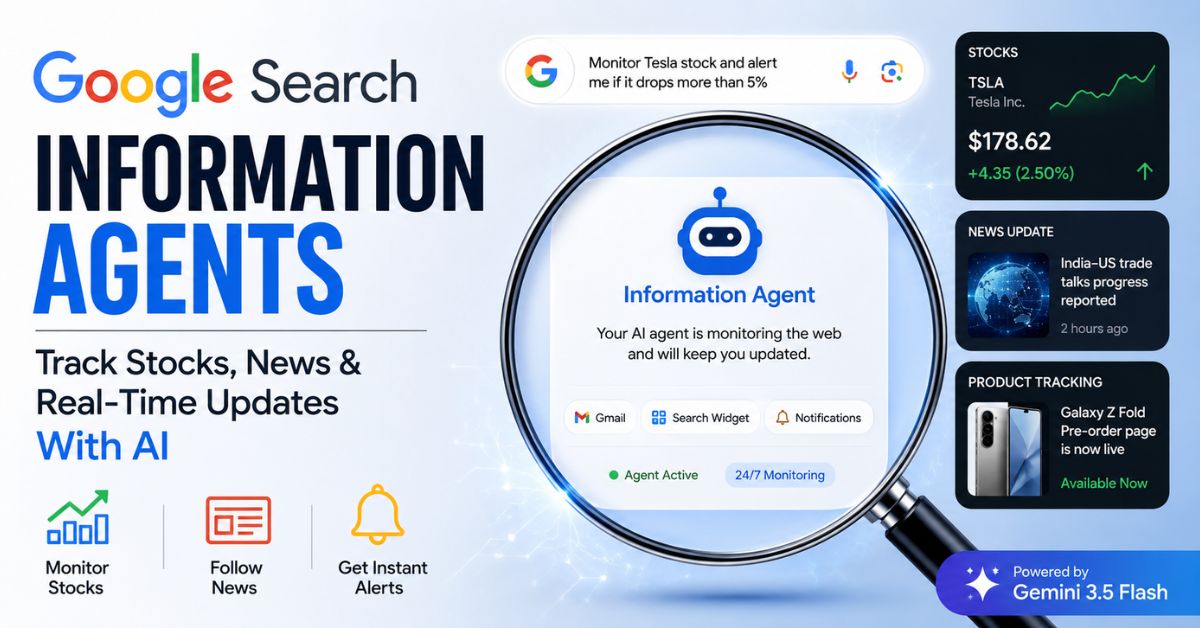
One of the most discussed additions is the new “Information Agent” system inside Google Search. Instead of creating old-style keyword alerts like Google Alerts, users can now describe what they want in plain English, and Google’s AI builds a persistent monitoring workflow around that request.
For users searching terms like “How do I monitor stock prices in Google Search?”, “How to set up AI news alerts in Google?”, or “How to create an Information Agent with Gemini?”, the process is surprisingly simple because most of the setup happens conversationally inside the Search box itself.
At the same time, some claims currently circulating online about these agents appear partly speculative or are not yet officially documented by Google. Features like “Android Halo,” “Google Cloud Virtual Machine handoff,” and exact pricing structures for compute-based monitoring have not been formally detailed in Google’s public announcements so far. Those details should be treated carefully until Google publishes official documentation.
What Is an Information Agent in Google Search?
The new Google Search experience combines Gemini-powered AI with agentic workflows, similar to how Claude financial agents operate in monitoring financial markets. Instead of showing only links, Search can now understand tasks, follow evolving topics, and provide ongoing summaries.
An Information Agent is essentially a persistent AI monitor that watches a topic on your behalf. You can ask it to:
- Track stock movements
- Watch breaking news
- Follow legal cases
- Monitor product launches
- Observe crypto price swings
- Summarize industry developments
- Detect major changes in a topic
Unlike traditional alerts, the system tries to understand intent and context rather than matching exact keywords.
For example, older systems required rigid search operators and separate notification settings. The new AI Search experience accepts natural requests such as:
“Keep me updated on India-US trade relations and summarize major developments every morning.”
Or:
“Watch Tesla stock and alert me if it drops more than 5% in a day.”
The AI then builds the monitoring logic automatically.
How to Set Up an Information Agent in Google Search
The setup process happens directly inside the new AI Search interface. There is no separate dashboard required during initial creation.
Step 1: Open the New AI Search Experience
Users first need access to Google’s upgraded AI Search interface powered by Gemini 3.5 Flash.
Once AI Search is enabled on your account:
- Open Google Search
- Use the AI Search box
- Start typing conversationally
Instead of entering simple keywords, write your request naturally.
Step 2: Describe What You Want Monitored
This is the most important part.
The AI agent works better when the request includes:
- The topic
- The condition
- The notification preference
- The summary style
A basic request may look like this:
“Monitor NVIDIA stock and notify me when it hits a new 52-week high.”
A more advanced version could be:
“Track news about RBI digital currency policy from verified sources and send me a concise summary every evening.”
The AI interprets:
- the subject,
- monitoring logic,
- filtering intent,
- and delivery preference.
Best Prompt Styles for Different Use Cases
Stock Price Monitoring
For finance-related monitoring, the best prompts usually include:
- ticker symbols,
- movement thresholds,
- volume conditions,
- or market events.
Example prompts:
- “Track $AAPL and alert me if it moves more than 3% intraday.”
- “Monitor Reliance Industries and summarize analyst upgrades.”
- “Watch Bitcoin ETF news from primary financial publications only.”
The system appears designed to prioritize structured financial events instead of random mentions.
News Monitoring
News monitoring works best when the request includes:
- a topic,
- trusted source preference,
- and summary style.
Example prompts:
- “Track India-US trade negotiations from verified government or business sources.”
- “Monitor Supreme Court AI regulation cases and summarize major developments weekly.”
- “Watch OpenAI and Google AI announcements and send a morning digest.”
This reduces irrelevant or low-quality content.
Product Tracking
Users can also monitor launches and pre-orders.
Example prompts:
- “Notify me when Samsung Galaxy Z Fold preorder pages go live in India.”
- “Track PlayStation 6 launch leaks from official sources only.”
- “Monitor iPhone 18 Pro Max pricing updates.”
This is particularly useful for flash sales or limited inventory launches.
Configuring Alerts and Summaries
After the initial request, Google’s AI usually asks follow-up questions to refine behavior.
This conversational setup is one of the biggest differences from traditional alerts.
The AI may ask:
- Do you want instant alerts or summaries?
- How often should updates arrive?
- Which sources should be prioritized?
- Should low-confidence information be ignored?
Users can then define:
Instant Alerts
These are event-triggered notifications.
Examples:
- “Only alert me if the stock drops 5%.”
- “Notify me immediately when breaking news appears.”
- “Send an alert only for confirmed announcements.”
Scheduled Digests
These are summary-based updates.
Examples:
- “Send me a morning summary at 8 AM.”
- “Create a weekly digest every Friday.”
- “Summarize updates once per day.”
This format is better for long-running topics.
Choosing Where Notifications Appear
Google’s new Search ecosystem increasingly connects across products like Gmail, Android, and Gemini.
Users may be able to choose where agent outputs appear, including:
- Gmail summaries
- Search dashboard widgets
- Gemini app notifications
- Android notifications
However, some rumored integrations currently lack full official documentation.
For example, references to “Android Halo” appear in online discussions, but Google has not clearly documented the feature publicly at the time of writing. Readers should treat such functionality as experimental or unconfirmed until broader rollout details emerge.
How to Manage Active Information Agents
Google appears to be building a management layer for these autonomous monitors.
Users can reportedly access active agents by typing commands such as:
- “My agents”
- “Show active monitors”
- “Manage tracking”
From there, users may be able to:
- pause monitoring,
- edit conditions,
- delete agents,
- refine thresholds,
- or inspect source history.
Some reports also mention source auditing tools that allow users to see which websites the AI checked before generating updates. That aligns with Google’s broader push toward AI transparency and source visibility.
Are Information Agents Available to Everyone?
At the moment, availability appears limited.
Google has heavily tied advanced AI features to its subscription ecosystem, especially AI Pro and higher-tier plans announced around I/O 2026.
Based on currently available reporting:
- Free users may receive limited summary-style functionality
- AI Pro subscribers receive expanded AI Search capabilities
- Higher tiers may eventually support more autonomous workflows
However, Google has not fully published final consumer feature matrices for every region yet.
Some claims online mention:
- AI Pro pricing around $19.99/month
- AI Ultra pricing around $99.99/month
Those figures have appeared in reporting surrounding Google’s new AI ecosystem, though exact regional rollout and feature segmentation may still change.
Important Limitations and Safety Considerations
The new Information Agent system is powerful, but it is not perfect.
Users should understand several practical limitations.
AI Can Misinterpret Vague Requests
Broad prompts create noisy monitoring.
Bad example:
“Track AI news.”
Better example:
“Track OpenAI, Google DeepMind, and Anthropic announcements from official sources.”
Specificity improves quality dramatically.
Real-Time Monitoring May Not Be Truly Instant
Although Google presents these agents as continuously active, actual refresh timing is still unclear publicly.
There is no official documentation yet confirming:
- exact polling intervals,
- real-time refresh frequency,
- or infrastructure details like “dedicated cloud VMs.”
Some online descriptions likely simplify or exaggerate how the backend works.
Source Quality Still Matters
AI summaries are only as reliable as the sources being monitored.
For serious financial or legal topics:
- prioritize primary sources,
- government releases,
- SEC filings,
- or verified news organizations.
Avoid relying entirely on AI summaries without checking source material.
How Information Agents Differ From Google Alerts
Many users compare the new system with Google Alerts, but the products behave very differently.
Traditional Google Alerts:
- relied mainly on keyword matching,
- produced email notifications,
- and often generated spammy results.
Information Agents instead:
- interpret intent,
- summarize context,
- continuously refine understanding,
- and support conversational editing.
For example, you can say:
“Reduce the number of alerts.”
Or:
“Only include updates from official company sources.”
That kind of refinement was not possible in older alert systems.
The Bigger Shift Inside Google Search
The launch of Information Agents reflects a much larger transition happening inside Google.
Google is turning Search from a retrieval engine into a task-oriented AI system powered by Gemini.
At I/O 2026, Google repeatedly emphasized concepts like:
- “agentic AI,”
- conversational search,
- autonomous workflows,
- and proactive assistance.
This means Search is slowly moving away from:
- static results pages,
- manual research,
- and repeated searching.
Instead, AI agents increasingly perform monitoring and summarization automatically.
For publishers, investors, researchers, and regular users, this could fundamentally change how information discovery works over the next few years.
Final Thoughts
Google’s new Information Agents represent one of the company’s biggest shifts in Search behavior since AI Overviews first appeared.
The setup process is intentionally conversational. Users simply describe what they want monitored, how often they want updates, and where they want notifications delivered.
For tracking stock prices, breaking news, product launches, or long-term topics, the system removes much of the manual filtering that older alert tools required.
Still, many advanced claims currently circulating online are partially unverified or still evolving. Google has confirmed the broader agentic Search direction and Gemini 3.5 Flash integration, but several detailed implementation claims have not yet been formally documented publicly.