


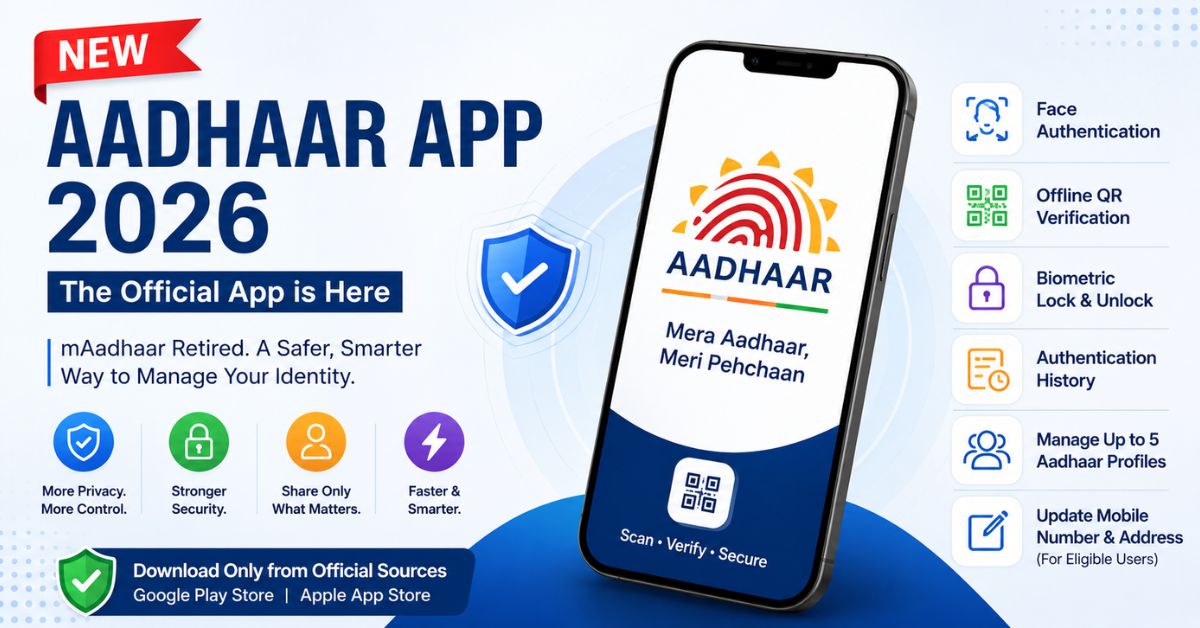
New Aadhaar App (2026): Key Highlights
- The new Aadhaar app became the official mobile application after UIDAI retired the mAadhaar app on July 1, 2026.
- Users can securely share only the specific identity information required for a service instead of revealing their complete Aadhaar details.
- The app introduces Face Authentication, offline QR verification, biometric lock and unlock, authentication history, and support for multiple Aadhaar profiles.
- Eligible users can initiate mobile number and address updates directly through the application.
- The official Aadhaar app is available for Android and iPhone users through the Google Play Store and Apple App Store.
- Users should download only the official UIDAI application and avoid unofficial APK downloads from third-party websites.
The way Indians use Aadhaar on their smartphones has changed. From July 1, 2026, the new Aadhaar app became the official mobile application for Aadhaar services after UIDAI retired the mAadhaar app. The updated app introduces stronger privacy controls, a simpler user experience, and several features that reduce the need to carry a physical Aadhaar card or share unnecessary personal information.
One of the biggest changes is how your identity is shared. Instead of revealing your complete Aadhaar number or full demographic details every time you need verification, the app lets you share only the information required for a specific purpose. Whether you are verifying your age, checking into a hotel, completing employment verification, or proving your identity for a service, you remain in control of what information is disclosed.
If you previously relied on mAadhaar, you will need to move to the new application to continue accessing Aadhaar services on your smartphone. The good news is that your Aadhaar records remain unchanged. Only the mobile application has been replaced.
This guide explains everything you need to know about the new Aadhaar app, including how to download it safely, migrate from mAadhaar, explore its new features, and avoid common mistakes during installation.
What Is the New Aadhaar App?
The new Aadhaar app is the latest official mobile application developed by the Unique Identification Authority of India (UIDAI) for managing Aadhaar-related services on Android and iPhone devices.
It replaces the mAadhaar app, which was officially discontinued on June 30, 2026.
Unlike its predecessor, the new app is built around the idea that users should disclose only the minimum information necessary during identity verification. Rather than sharing a complete digital Aadhaar card every time, you can generate secure, consent-based credentials that reveal only the details required for a specific transaction.
This approach improves privacy while making Aadhaar verification faster and more convenient.
Some of the everyday situations where the new app can be used include:
- Hotel check-ins
- Age verification
- Employment and gig worker verification
- Identity confirmation for various services
- Secure offline Aadhaar verification using QR codes
The app also introduces Face Authentication, biometric controls, authentication history, and support for managing multiple Aadhaar profiles from a single device.
When Was the New Aadhaar App Launched?
UIDAI first introduced the new Aadhaar app in early 2026 before making it the primary Aadhaar application nationwide.
The transition became official on July 1, 2026, when the mAadhaar app was retired and users were advised to switch to the new Aadhaar app for uninterrupted access to digital Aadhaar services.
This phased rollout allowed UIDAI to introduce the updated platform before completing the migration away from the older application.
Why Did UIDAI Replace mAadhaar?
The retirement of mAadhaar was not simply a redesign. It reflects a broader shift toward giving citizens greater control over how their personal information is shared.
The previous app allowed users to carry a digital version of their Aadhaar card and access several services. However, digital identity requirements have evolved considerably over the past few years.
Today, users expect:
- Better privacy
- Stronger authentication
- Simpler verification
- More control over personal information
- Faster digital services
The new Aadhaar app addresses these expectations by introducing consent-based identity sharing, modern authentication methods, and additional security measures designed to reduce the risk of misuse.
Instead of exposing your complete Aadhaar profile whenever verification is required, the app allows you to decide exactly what information another party can access.
That represents one of the biggest changes in India’s digital identity ecosystem.
What Makes the New Aadhaar App Different?
Although both applications serve the same purpose, the new Aadhaar app offers significant improvements over mAadhaar.
| Feature | mAadhaar | New Aadhaar App |
|---|---|---|
| Digital Aadhaar access | Yes | Yes |
| Face Authentication | Limited | Yes |
| Selective data sharing | No | Yes |
| Offline QR verification | Basic | Advanced |
| Multiple Aadhaar profiles | Limited | Up to five profiles |
| Authentication history | Basic | Detailed history |
| Biometric lock and unlock | Available | One-click control |
| Contact card sharing | No | Yes |
| Mobile number and address updates | Limited | Supported for eligible users |
The emphasis has shifted from simply storing Aadhaar digitally to enabling secure digital identity verification across different situations.
What Are the Main Features of the New Aadhaar App?
The latest version includes several improvements that users are likely to notice immediately.
One App for the Entire Family
One of the most practical additions is support for multiple Aadhaar profiles on a single device.
Instead of installing separate applications for family members, you can securely manage up to five Aadhaar profiles within the same app.
This is especially useful for parents who regularly manage Aadhaar services for children or elderly family members.
Each profile remains individually protected while allowing quick access whenever required.
Share Only the Information That Matters
Earlier, many verification processes involved presenting your complete Aadhaar details even when only one piece of information was necessary.
The new Aadhaar app changes that.
You can generate customized QR credentials that disclose only the required information.
For example:
- A cinema may only need confirmation that you meet the minimum age requirement.
- An employer may only require identity verification.
- A service provider may only need your name and photograph.
In each case, unnecessary personal details remain private.
This significantly reduces unnecessary exposure of sensitive information during routine verification.
Face Authentication Makes Verification Simpler
The app integrates UIDAI’s Face Authentication technology to confirm your identity digitally.
Instead of relying solely on physical documents, supported services can verify your identity through facial authentication while confirming your presence during the transaction.
The process is faster, paperless, and designed to reduce identity fraud.
Better Protection for Your Biometrics
Biometric information remains one of the most sensitive parts of an Aadhaar profile.
The new Aadhaar app provides a simple option to lock or unlock biometric authentication whenever needed.
If you are not planning to use fingerprint or biometric verification for some time, you can lock access immediately from the app.
When biometric authentication is required again, it can be unlocked with just a few steps.
This gives users more direct control over how their biometric data is used instead of leaving it continuously available.
How to Download the Official Aadhaar App
If you are installing the app for the first time or switching from mAadhaar, always download it from an official source.
The genuine Aadhaar app is developed by the Unique Identification Authority of India (UIDAI) and is available for both Android and iPhone users.
Before installing the app, check the following:
- The app name is Aadhaar
- The developer is UIDAI
- You are downloading it from the Google Play Store or Apple App Store
Avoid searching for APK files on third-party websites. While many websites claim to offer the latest Aadhaar APK, downloading apps outside the official stores increases the risk of installing modified or malicious versions that could compromise your personal information.
If you are searching online for a new Aadhaar app download or the new Aadhaar app link, use the official UIDAI website or the official app stores. UIDAI does not recommend installing the app from unofficial APK repositories.
Is There a New Aadhaar App for iPhone?
Yes.
The new Aadhaar app is available for iPhone users through Apple’s App Store.
Its features closely match the Android version, including:
- Face Authentication
- Secure QR-based identity sharing
- Offline verification
- Authentication history
- Biometric controls
- Multiple Aadhaar profiles
The interface is optimized for iOS while maintaining the same security standards introduced by UIDAI.
Whether you use Android or iPhone, the registration process is broadly similar.
How to Switch from mAadhaar to the New Aadhaar App
Switching to the new app is straightforward. Since your Aadhaar information is stored securely by UIDAI and not inside the old application, you do not lose your Aadhaar records when mAadhaar is removed.
Follow these steps:
Step 1: Install the Official Aadhaar App
Download the official Aadhaar app from your device’s app store.
If mAadhaar is still installed, you may keep it temporarily during the transition, although it is no longer supported.
Step 2: Open the App
Launch the application and choose to register your Aadhaar profile.
Step 3: Verify Your Identity
Enter your Aadhaar details and complete OTP verification using your registered mobile number.
Depending on the workflow, you may also be asked to complete Face Authentication.
Step 4: Create Your Security PIN
Choose a secure PIN for future access to the application.
This PIN protects your Aadhaar profile even if someone gains temporary access to your phone.
Step 5: Add Family Profiles
If required, you can add additional Aadhaar profiles for eligible family members.
The app supports up to five profiles on one device.
After completing these steps, you can begin using all supported Aadhaar services from the new application.
Can You Still Use mAadhaar?
No.
The mAadhaar app was officially retired on June 30, 2026.
Although the app may still appear on some devices, it no longer receives support or future updates from UIDAI.
If you rely on Aadhaar services through your smartphone, you should migrate to the new Aadhaar app.
Importantly, retiring the app does not affect your Aadhaar number, demographic information, biometric records, or authentication history.
Only the mobile application has changed.
Is Your Aadhaar Data Deleted During Migration?
No.
This is one of the most common concerns among users moving from mAadhaar.
Your Aadhaar information remains securely stored in UIDAI’s systems.
When you install the new app, you simply authenticate yourself again and reconnect your Aadhaar profile.
Think of it as signing in to a new banking app using the same bank account. Your account does not change. Only the application through which you access it does.
Can You Update Your Mobile Number and Address Through the App?
Yes, eligible users can initiate mobile number and address updates directly within the new Aadhaar app.
For address updates, UIDAI supports different verification methods depending on your circumstances.
These may include:
- Supporting address documents
- Family-based address verification where applicable
Some requests may require additional verification before they are approved.
Even though the app reduces the need to visit an Aadhaar Seva Kendra, certain situations may still require in-person verification, particularly if digital authentication cannot be completed successfully.
How Does SIM Binding Improve Security?
One of the less visible but important additions is SIM binding.
The Aadhaar app is linked to your registered mobile number.
If the registered SIM is removed from your device, the application automatically logs you out.
This provides another layer of protection if your phone is lost, stolen, or someone attempts to access your Aadhaar profile using a different SIM card.
Combined with Face Authentication and PIN protection, this significantly strengthens account security compared with earlier versions.
Offline Verification Means Aadhaar Works Even Without Internet
Many people assume Aadhaar verification always requires an internet connection.
The new app changes that.
It supports secure QR-based offline verification, allowing users to prove their identity even in locations with poor or no network connectivity.
This can be particularly useful in:
- Rural areas
- Government offices
- Temporary service counters
- Travel situations
- Emergency verification scenarios
Offline verification also reduces waiting time because the QR credential can be scanned directly without repeatedly downloading information online.
Authentication History Gives You Greater Transparency
Every time Aadhaar is used for authentication, many users naturally want to know where and when it happened.
The new Aadhaar app includes a dedicated authentication history section that allows users to review previous authentication requests.
This improves transparency and helps users quickly identify any activity they do not recognize.
Regularly reviewing authentication history is considered a good security practice, especially if your Aadhaar is frequently used for banking, government services, employment, or financial verification.
Is It Safe to Download the New Aadhaar App APK?
Many users search online for the new Aadhaar app download APK, especially if they experience difficulties accessing an app store.
However, installing APK files from unofficial websites is not recommended.
Third-party APK files may:
- Be outdated
- Be modified without authorization
- Contain malicious code
- Compromise your personal information
For a document as important as Aadhaar, there is little benefit in taking this risk.
The safest approach is to download the official app directly from the Google Play Store or Apple App Store, where updates are verified and delivered by UIDAI through the official distribution channels.
Doing so also ensures that you receive future security updates and new features automatically.
Who Should Install the New Aadhaar App?
The new Aadhaar app is designed for anyone who uses Aadhaar for everyday identity verification or to access public and private sector services.
You should install it if you:
- Regularly use Aadhaar for identity verification
- Access government schemes and online services
- Use Aadhaar-linked banking services
- Need digital identity proof while travelling
- Manage Aadhaar profiles for children or elderly family members
- Frequently update Aadhaar-related information
Even if you use Aadhaar only occasionally, having the official app installed can save time by providing secure access to your digital identity whenever it is needed.
Common Mistakes to Avoid
As users migrate from mAadhaar, a few common mistakes have started appearing. Avoiding them can make the transition smoother and keep your Aadhaar information secure.
Downloading the App from Unofficial Sources
Always install the Aadhaar app from the official Google Play Store or Apple App Store. Third-party APK downloads may contain altered software or outdated versions that do not receive official security updates.
Ignoring App Permissions
The app requests permissions such as camera access because features like Face Authentication and QR code scanning depend on them. Review the permissions carefully and grant only those required for the app to function correctly.
Forgetting to Lock Biometrics
If you rarely use biometric authentication, consider locking your biometrics when they are not needed. The app allows you to unlock them again whenever required, giving you greater control over how your biometric information is used.
Not Reviewing Authentication History
Checking your authentication history from time to time helps you stay informed about where your Aadhaar has been used. If you notice activity that you do not recognize, you can take appropriate action without unnecessary delay.
Frequently Asked Questions
What is the new app for Aadhaar?
The new official Aadhaar app is called Aadhaar and is developed by the Unique Identification Authority of India (UIDAI). It replaces the retired mAadhaar app and offers improved privacy, Face Authentication, offline verification, biometric controls, and support for managing multiple Aadhaar profiles.
Which Aadhaar app is genuine?
The genuine app is the one published by UIDAI on the Google Play Store and Apple App Store. Before downloading, verify that the developer is UIDAI and avoid apps with similar names from unknown publishers.
What is the latest Aadhaar software available?
As of 2026, the latest Aadhaar software for smartphones is the official Aadhaar app introduced by UIDAI. It replaces mAadhaar and serves as the recommended mobile application for accessing Aadhaar services.
How do I switch to the new Aadhaar app?
Download the official Aadhaar app, complete OTP verification using your registered mobile number, perform Face Authentication if prompted, create your security PIN, and add your Aadhaar profile. Your Aadhaar information remains unchanged during the migration.
Is the new Aadhaar app available for Android and iPhone?
Yes. UIDAI provides the official Aadhaar app for both Android and iOS devices through their respective app stores.
Can I manage my family’s Aadhaar profiles?
Yes. The new app supports up to five Aadhaar profiles on a single device, making it easier for families to manage identity services without installing multiple apps.
Does the app work without internet?
Yes. The app supports QR-based offline verification for supported use cases. Some services, such as downloading updates or completing certain authentication processes, will still require an internet connection.
Can I update my address through the app?
Eligible users can initiate address updates directly within the app using supported verification methods. Depending on the request, UIDAI may require additional verification before the update is approved.
What happens if I uninstall mAadhaar?
Nothing happens to your Aadhaar records. Your Aadhaar number, biometric information, and demographic details remain securely stored with UIDAI. You simply need to register your profile again in the new Aadhaar app.
Is it safe to download the new Aadhaar app APK?
The safest option is to download the official app from the Google Play Store or Apple App Store. Installing APK files from unofficial websites is not recommended because they may be outdated, modified, or unsafe.
The Bottom Line
The new Aadhaar app is more than a replacement for mAadhaar. It reflects a broader shift towards giving users greater control over their digital identity while making Aadhaar verification simpler, faster, and more secure.
Features such as selective data sharing, Face Authentication, biometric lock and unlock, offline QR verification, authentication history, and support for multiple profiles address many of the limitations users experienced with the older application. Instead of sharing an entire Aadhaar record for every verification, users can now disclose only the information required for a particular service, helping protect their privacy without affecting convenience.
For most people, the transition is straightforward. Download the official app developed by UIDAI, verify your identity, create a secure PIN, and add your Aadhaar profile. Your Aadhaar number and existing records remain intact throughout the process.
If you have not yet migrated from mAadhaar, it is worth doing so. The new app is now UIDAI’s official platform for mobile Aadhaar services and will continue to receive future improvements, security updates, and additional features as India’s digital identity ecosystem evolves.
Quick Answers
New Aadhaar app launched by government: Yes. The Government of India, through UIDAI, has launched the new official Aadhaar app to replace mAadhaar.
New Aadhaar app launch date: The app was introduced by UIDAI in January 2026, and it became the primary Aadhaar app after mAadhaar was retired on July 1, 2026.
Aadhaar app download: Download the official app only from the Google Play Store or Apple App Store.
New Aadhaar app Play Store: Search for Aadhaar and verify that the developer is UIDAI before installing.
New Aadhaar app iOS: The official Aadhaar app is also available on Apple’s App Store for iPhone users.
New Aadhaar app link: Use the links provided on the official UIDAI website or search for the official UIDAI-developed app in your device’s app store.
New Aadhaar app download APK: UIDAI does not recommend downloading APK files from unofficial websites. Always install the app through the official app stores to receive authentic software and future security updates.