


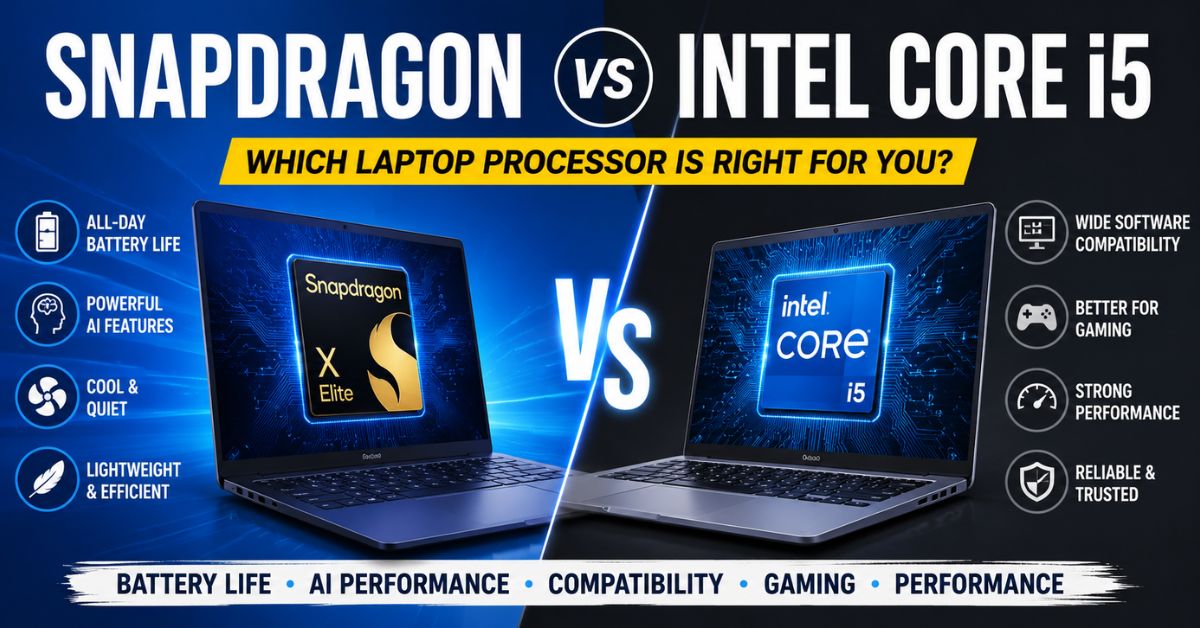
Snapdragon vs Intel Core i5: Key Takeaways
- Qualcomm’s Snapdragon X Elite and X Plus processors prioritize battery life, efficiency, and AI performance.
- Intel Core i5 laptops continue to offer broader software compatibility and stronger gaming support.
- Arm-based Snapdragon laptops can deliver all-day battery life and quieter operation.
- Intel remains the safer choice for users who rely on specialized software or legacy applications.
- The best processor depends on whether buyers prioritize mobility, compatibility, gaming, or productivity.
The laptop market has changed significantly over the past two years. For decades, Intel processors dominated Windows laptops, making them the default choice for students, professionals, businesses, and gamers. However, Qualcomm’s Snapdragon X Elite and Snapdragon X Plus processors have introduced a new alternative that is challenging traditional expectations about performance, battery life, and artificial intelligence capabilities.
As more manufacturers launch Windows laptops powered by Snapdragon chips, many buyers are wondering whether they should choose a Snapdragon-powered device or stay with an Intel Core i5 laptop. The answer depends largely on how the computer will be used.
Both platforms offer clear advantages, but they are designed with different priorities in mind. Understanding those differences can help buyers make a more informed decision before investing in a new laptop.
Snapdragon vs Intel Core i5: Quick Comparison
| Feature | Qualcomm Snapdragon X Series | Intel Core i5 |
|---|---|---|
| Architecture | Arm-based | x86-based |
| Battery Life | Excellent, often all-day usage | Good, varies by model |
| AI Performance | Up to 45 TOPS NPU | Varies by generation |
| Software Compatibility | Improving but limited in some cases | Excellent native support |
| Gaming Support | Limited for some titles | Broad support |
| Heat and Noise | Cooler and quieter | Depends on cooling system |
| Best For | Students, writers, business users | Gamers, professionals, enterprise users |
Why Snapdragon and Intel Are Different
The biggest difference between Qualcomm’s Snapdragon processors and Intel’s Core i5 chips lies in their architecture.
Intel processors are built using the x86 architecture that has powered Windows computers for decades. Most software developers design their applications with this architecture in mind, which is one reason Intel laptops offer broad compatibility.
Qualcomm’s Snapdragon X Elite and X Plus processors use Arm architecture, which is similar to the technology used in smartphones and tablets. Arm chips are designed to be highly efficient, allowing devices to consume less power while delivering strong performance.
This architectural difference affects everything from battery life and heat generation to software compatibility and gaming performance.
Snapdragon’s Biggest Strength Is Battery Life
One area where Snapdragon has gained widespread attention is battery life.
Many modern Snapdragon-powered laptops can operate throughout an entire workday without needing to be plugged in. Depending on usage patterns, some devices can even last well beyond 15 to 20 hours on a single charge.
This level of efficiency is possible because Arm-based processors consume less power than traditional laptop chips during many everyday tasks. Activities such as web browsing, video streaming, document editing, and video conferencing place relatively low demands on the processor, allowing Snapdragon systems to conserve energy effectively.
For students attending classes all day, business travelers spending hours away from power outlets, or remote workers frequently moving between locations, extended battery life can be a major advantage.
Intel has improved efficiency significantly in recent years, particularly with newer processor generations, but Snapdragon still holds a noticeable lead in many battery life tests.
Cooler and Quieter Laptop Experience
Power efficiency also affects another important area: heat.
Because Snapdragon processors generally consume less power, they generate less heat during normal workloads. As a result, many Snapdragon laptops remain cooler during operation and often require less aggressive cooling systems.
Users may notice quieter fans or, in some cases, fanless designs that operate silently.
This creates an experience that feels closer to using a smartphone or tablet than a traditional laptop.
Intel Core i5 systems can still provide excellent thermal performance, but under heavier workloads they typically require more active cooling, which may result in increased fan noise.
For users who value silent operation while working in libraries, offices, or meeting rooms, Snapdragon systems may offer a more comfortable experience.
AI Features Are Becoming a Major Battleground
Artificial intelligence has become one of the most important topics in personal computing.
Microsoft’s Copilot+ PC initiative has encouraged manufacturers to include dedicated AI hardware inside modern laptops. This hardware, known as a Neural Processing Unit (NPU), is designed specifically to handle AI-related workloads efficiently.
Qualcomm’s Snapdragon X Elite and X Plus processors include NPUs capable of delivering up to 45 TOPS (trillion operations per second). This allows AI tasks to run directly on the device rather than relying entirely on cloud-based services.
Features such as real-time language translation, image generation, AI-assisted productivity tools, and Microsoft’s Copilot capabilities can benefit from this dedicated hardware.
Users researching Qualcomm’s processor lineup may also come across Qualcomm Snapdragon C, which belongs to a different category of Snapdragon computing platforms aimed at expanding Qualcomm’s presence across connected computing devices.
When Snapdragon laptops first launched, they held a significant advantage in this area. However, Intel has responded with newer processors that also support Copilot+ features and include powerful NPUs.
As a result, the gap between Intel and Qualcomm in AI functionality is becoming smaller. Still, Snapdragon remains one of the strongest platforms for users who prioritize AI-focused workflows.
Software Compatibility Remains Intel’s Strongest Advantage
While Snapdragon offers impressive efficiency, Intel continues to dominate in software compatibility.
Most Windows applications have historically been developed for x86 processors. As a result, they run natively on Intel systems without requiring any additional translation or emulation.
This becomes particularly important for users who rely on specialized software.
Engineering applications, enterprise business tools, older accounting programs, proprietary corporate software, and certain professional utilities often work best on Intel systems.
Windows on Arm has improved dramatically, and many popular applications now support Snapdragon processors directly. Microsoft Office, web browsers, creative tools, communication platforms, and many productivity apps run smoothly on Arm devices.
However, some niche applications may still experience compatibility issues or reduced performance when running through emulation.
For users who simply need a laptop that works with virtually every Windows application available, Intel remains the safer choice.
Gaming Is Still Better on Intel
Gaming is another area where Intel maintains a clear advantage.
The majority of PC games have been developed and optimized for x86 processors. Many game developers continue to focus their testing and optimization efforts on Intel and AMD platforms.
Although some games run successfully on Snapdragon-powered laptops, compatibility is not universal.
Certain multiplayer games use anti-cheat systems that may not function correctly on Arm-based hardware. Some game launchers, drivers, and supporting software can also create challenges for Snapdragon users.
Casual gaming, cloud gaming, and less demanding titles often work well on Snapdragon systems. However, players who regularly enjoy competitive esports titles, AAA games, or large game libraries will likely have a smoother experience with Intel.
Gamers who prioritize reliability and broad game support should continue to view Intel as the stronger option.
What About Students and Office Workers?
For many users, gaming and specialized software are not primary concerns.
Students often spend most of their time using web browsers, online learning platforms, document editors, presentation software, and video conferencing tools. Similarly, many office workers rely on email, spreadsheets, collaboration platforms, and cloud-based applications.
These workloads align closely with Snapdragon’s strengths.
Fast wake times, long battery life, silent operation, and efficient multitasking can make Snapdragon laptops particularly appealing for these users.
As more applications become cloud-based, the importance of processor architecture becomes less noticeable for everyday tasks.
For users whose workflow revolves around modern productivity software, Snapdragon can provide an excellent experience.
Developers and Professional Users Need to Evaluate Carefully
Software developers, engineers, and technical professionals should take a closer look before making a purchase.
Many popular development tools now support Arm-based Windows systems. However, certain virtualization environments, hardware drivers, debugging tools, and specialized development platforms may still perform better on Intel.
The situation is improving rapidly as Windows on Arm gains wider adoption, but compatibility considerations remain important.
Professionals should verify that their specific software stack supports Arm architecture before choosing a Snapdragon-based machine.
For organizations deploying laptops across large teams, Intel often remains the lower-risk option because of its long-established software ecosystem.
The Future of Windows Laptops
The growing competition between Qualcomm and Intel represents a significant shift in the Windows ecosystem.
For years, buyers mainly compared Intel and AMD processors. Today, Arm-based Windows laptops have become legitimate alternatives for mainstream users.
Microsoft’s continued investment in Windows on Arm, combined with increasing support from software developers, suggests that Snapdragon-powered laptops will play an increasingly important role in the market.
At the same time, Intel continues to evolve its own products by improving efficiency, integrating AI capabilities, and enhancing performance.
Rather than replacing Intel, Snapdragon is creating a new category of Windows laptops designed around mobility, battery life, and AI-focused experiences.
Choosing the Right Processor for Your Needs
There is no universal winner because different users have different priorities.
A Snapdragon laptop may be the better choice for students, writers, business travelers, remote workers, and professionals who primarily use web-based applications and productivity software. The exceptional battery life, efficient performance, and modern AI capabilities make these systems highly attractive for everyday computing.
An Intel Core i5 laptop remains the better option for users who need maximum software compatibility, play PC games regularly, use specialized applications, or simply want a system that can run almost any Windows program without concern.
As Windows laptops continue to evolve, buyers now have more choices than ever before. The decision is no longer about which processor is objectively better. Instead, it is about choosing the platform that best matches the way you work, create, and use your computer every day.